100x Polymarket Club Onboarding Guide
Important before you begin:
Please take a moment to review the geo-blocked countries linked below:
https://docs.polymarket.com/api-reference/geoblock
Scott uses a VPN everyday no matter what for both security and anonymity from tracking. This security protocol generally applies to those whose country is in the restricted list - you’ll need to install & activate a VPN with the location set to a non-restricted location (or supported country) before logging into the Polymarket website.
How to Access the 100x Polymarket Club Alerts
We’ve sent a welcome email to your email address with the subject name "Welcome to the 100x Polymarket Club Alerts". This email contains a one-time use link that you can click to join the 100x Polymarket Club Alerts Telegram channel.
Please be sure to check your spam & promotions folders in your email inbox.
If you’re having trouble accessing the alerts channel, please email [email protected]
Understanding the Risk Premia trade
The Core Concept behind the alerts:
A risk premia trade occurs when an outcome is almost certain, but the game or event has not yet officially finished.
How It Works:
Someone who holds the winning shares wants to sell early at a discount (for example, between 92¢ and 99¢) because they don't want to wait for the final resolution or they don't want to carry the tiny remaining "tail risk" that a crazy upset might happen.
You buy those shares at the discount and simply hold them until the event officially finishes and pays out at $1.00
In essence, you are being paid a premium to take on that small remaining risk and for your willingness to wait for the settlement
In Short:
It is a "patience play" where the edge is your willingness to wait for a near-certain outcome to officially close
Getting set up to trade the alerts
Before you begin trading the alerts, you’ll need to set up a new wallet, connect it to Polymarket, and fund your Polymarket account.
For most of our clients, the fastest setup method is to follow the guides linked below in order to connect using a Rabby Wallet.
If you’d prefer to connect using a more secure method to Polymarket using a hardware wallet, you can use the relevant guides linked below to set up a Ledger, Trezor, or Tangem device.
Rabby Wallet Setup - Fastest Setup
- RW01 - How to set up a Rabby wallet
- RW02 - How to transfer ETH & USDC to a Rabby Wallet On The Arbitrum Network
- RW03 - How to connect your Rabby wallet to Polymarket & fund your account
Hardware Wallet Setup - Most Secure Setup
If you’d prefer to connect using a more secure method to Polymarket using a hardware wallet, you can use the relevant guides linked below to set up a Ledger, Trezor, or Tangem device.
Ledger Wallet Setup
Most of our customers use Ledger hardware wallets. Your can purchase a Ledger hardware wallet here (we recommend the Nano X or any models above the Nano X. The Nano S is being discontinued).
Once you have your Ledger device, use the guides below to set up your wallet, connect to Polymarket and fund your account.
- LG - How to add an Arbitrum account to your Ledger Hardware Wallet
- HL04 | LG - How to transfer ETH & USDC to a Ledger On The Arbitrum Network
- LG - How to connect your Ledger wallet via Rabby to Polymarket & fund your account
Trezor Wallet Setup
You can purchase a Trezor hardware wallet here. Once you have your Trezor device, use the guides below to set up your wallet, connect to Polymarket and fund your account.
- TZ - How to add an Arbitrum account to your Trezor Hardware Wallet
- HL04 | TZ - How to transfer ETH & USDC to a Trezor Wallet On The Arbitrum Network
- TZ - How to connect your Trezor wallet to Polymarket & fund your account
Tangem Wallet Setup
You can purchase a Tangem hardware wallet here. Once you have your Tangem device, use the guides below to set up your wallet, connect to Polymarket and fund your account.
- How to add ETH & USDC to your Tangem Hardware Wallet
- HL04 | TG - How to transfer ETH & USDC to a Tangem On The Arbitrum Network
- TG - How to connect your Tangem wallet to Polymarket & fund your account
How To Trade 100x PolyMarket Club Alerts
1. Read the alert.
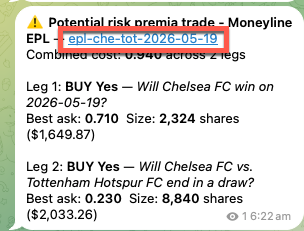
It tells you three things: which side to buy, the price it fired at (best ask), and the dollar depth available at that price (e.g. "94¢, $3,000" means $3,000 is buyable at 94¢).
2. Click the link.
It redirects straight into the correct Polymarket market — no searching.
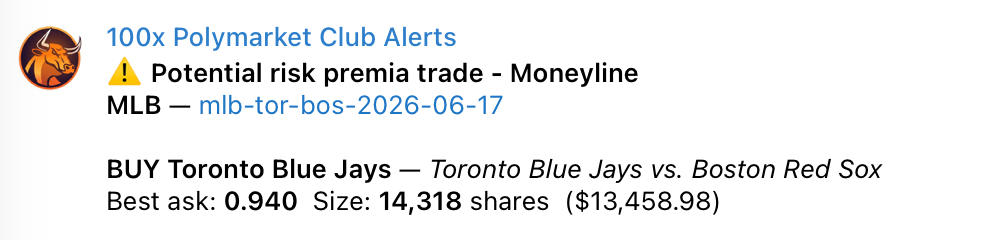
3. Run the pre-trade checklist:
- Confirm the market title is the event and condition you think it is (full game, not first half).
- Confirm resolution terms — you know exactly what makes your side win.
- Confirm the game is actually about to end. If it feels too early, it almost certainly is.
- Confirm nothing wacky in the order book — depth is real at your price, spread is acceptable.
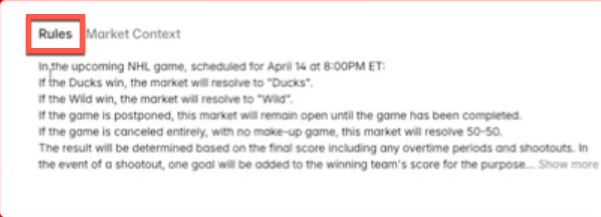
4. Size it.
Set and apply position sizing rules — we suggest 1–3% of your account balance per trade.
The alert's dollar depth tells you up front whether the liquidity even supports your trade size; if not, don't open it.
5. Place the order:
- Confirm the correct side is being traded.
- Select your order type ('Market' for speed, 'Limit' for price control).
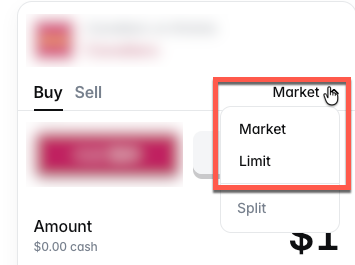
- If you're using a market order, enter your position size (1% - 3% of your total account balance)
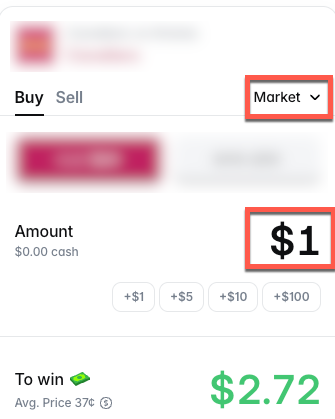
- If you're using a limit order:
- Enter your limit price (the 'best ask' price shared in the alert)
- Enter your # of shares (the 'Total' figure should be equal to 1% - 3% of your total account balance)
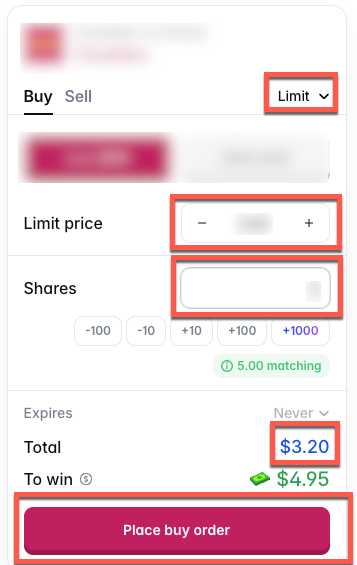
- Click Buy.
- Follow the prompts to confirm via your hardware wallet / browser wallet.
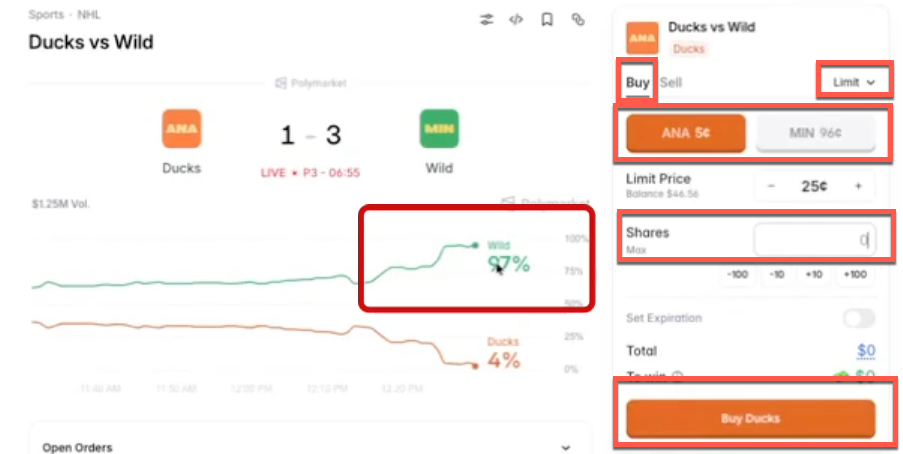
Note: Trade alerts for events that have three possible outcomes (win, lose or draw) will show TWO Buy legs. You need to place Buy Limit orders for both legs as the 94% odds are combined across both legs. If one of the two Buy outcomes eventuates, the trade will be WON.
6. Hold until resolution
Don't exit early — early exits on a losing trade pay the highest fee and kill the edge. When the market resolves:
→ it locks
→ shares settle on-chain (minutes to hours)
After your trade
After a market officially resolves, it locks to prevent any further trading, and the settlement process begins automatically on-chain.
During this time, your winning shares are updated on the blockchain, which typically takes anywhere from a few minutes to a few hours after the event's resolution.
You can view your closed positions by:
→ going to your Polymarket portfolio
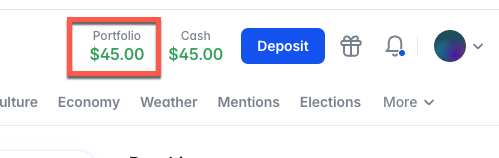
→ Clicking on 'History'
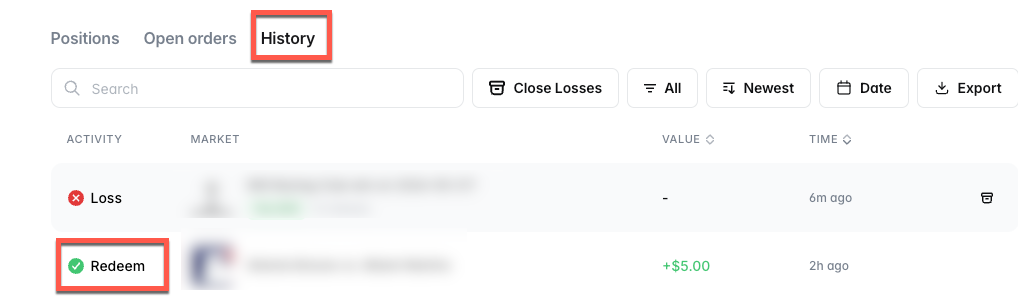
USDC from winning positions lands in your Polymarket wallet.
Need help?
Send an email using the template below. Response times are within 24 hours during business hours (Sydney time), and up to 72 hours on non-business days.
Send to: [email protected]
Subject: 100x Polymarket Club support
Email body:
What you are trying to do
A clear description of the issue preventing you from completing it
Screenshots and/or a screen recording showing the issue